












Quick summary
Modern hardware wallets mainly differ in transaction display clarity and fit with user habits
Key evaluation criteria include secure elements, firmware openness, air-gapping, decoding, backups, coin support
Ledger Flex targets beginners and multi-coin users, Trezor Safe 5 suits open-source, budget holders
Coldcard Mk5 focuses on Bitcoin-only, air-gapped maximum security, especially for larger cold storage holdings
Choosing a hardware wallet in 2026 comes down to three names — Ledger Flex, Trezor Safe 5, and Coldcard Mk5 — and each one is the right answer for a different kind of holder.
The quiet shift worth knowing before picking one: hardware wallets have moved beyond simply "storing coins offline." Every serious device now does that part well. What actually separates them today is how clearly they show a transaction before it gets approved — and how well the wallet fits the daily habits of the person using it.
Ledger Flex suits beginners and multi-coin holders. Trezor Safe 5 suits budget buyers and open-source advocates. Coldcard Mk5 suits serious Bitcoin holders who want the highest security. The rest of the article shows why — and how to stay safe whichever one gets picked.
Why Hardware Wallets Stopped Being About Storage
Early hardware wallets solved one problem: keeping private keys off internet-connected computers. Every device in this article now handles that job well, using a secure element — a tamper-resistant chip that locks keys away from the computer or phone the wallet connects to.
With that part handled across the board, the real difference between wallets today shows up somewhere else: the moment a transaction is about to be approved.
The few seconds when the wallet displays what is about to happen, and the holder confirms it, is where modern wallets actually compete. Clarity of that display — and what the wallet can show about a transaction — has become the feature that separates these three devices.
How to Evaluate Any Hardware Wallet
A good framework outlasts any specific device. These criteria apply to any wallet released this year or next.
Core evaluation criteria includes:
Security architecture: Certified secure element (EAL5+ or EAL6+), with isolation between the secure element and the general processor. The higher the rating, the harder it is for an attacker with physical access to pull keys off the chip. The highest Common Criteria rating is EAL7 — which requires formally verified design, meaning the product's security has been mathematically proven, not just tested.
Firmware transparency: Fully open-source (Trezor, Coldcard) versus partially closed (Ledger)
Air-gap capability: In other words, whether the wallet can approve a payment without ever being connected to the computer or phone it's used with. The safest option is a wallet that never connects — it transfers transactions back and forth using a small memory card (Coldcard) or a QR code scanned between devices (select models). The next safest is a USB cable, which creates a wired connection but narrow attack surface. Bluetooth is the least safe of the three, since a wireless signal gives attackers more ways in. None of these methods expose the keys themselves, but a connected wallet is easier for malware on the computer to reach with a fake transaction.
Transaction decoding clarity: Ability to parse and display full transaction details — amounts, addresses, script type — before approval
Backup methodology: BIP39, Shamir Backup (SLIP39), or SeedXOR
Coin support: Bitcoin-only versus multi-coin — more supported assets expands firmware complexity and exposure to unreadable transactions
The 3 Main Hardware Wallet Risks to Know
Wallet selection collapses into which threat matters most for the holding size and workflow involved.
Primary Threats to safeguard against:
Remote attack: Malware, phishing sites, malicious browser extensions attempting address substitution or seed extraction
Physical theft: Direct possession of the device — secure element chips, PIN systems, and passphrase layers provide the defense
User error: The leading loss vector — screenshotted seeds, blind-signed transactions, lost backups
No wallet optimizes for all three. Each device on the market makes tradeoffs.
The Hardware Wallet Comparison
Feature | Ledger Flex | Trezor Safe 5 | Coldcard Mk5 |
Price | |||
Supported coins | 5,500+ | Thousands (via Suite + third-party) | Bitcoin only |
Secure element | EAL6+ (ST33K1M5) | EAL6+ (OPTIGA Trust M) | Dual secure elements (ATECC608 + DS28C36B) |
Open source | Partial (app layer) | Fully open | Fully open |
Air-gap capable | No (USB-C, Bluetooth, NFC) | No (USB-C only) | Yes (microSD, NFC) |
Display type | 2.84" E Ink touchscreen | 1.54" color touchscreen | 1.54" monochrome + keypad |
On-device decoding | High (multi-coin) | High (multi-coin) | High (Bitcoin-only scope) |
Backup method | BIP39, SLIP39 | BIP39, SLIP39 Shamir Backup | BIP39, SeedXOR (advanced) |
PSBT support | Partial | Full | |
Best for | Multi-coin portfolios | Open-source advocates | Bitcoin-only holdings |
Ledger Flex: Deep Dive
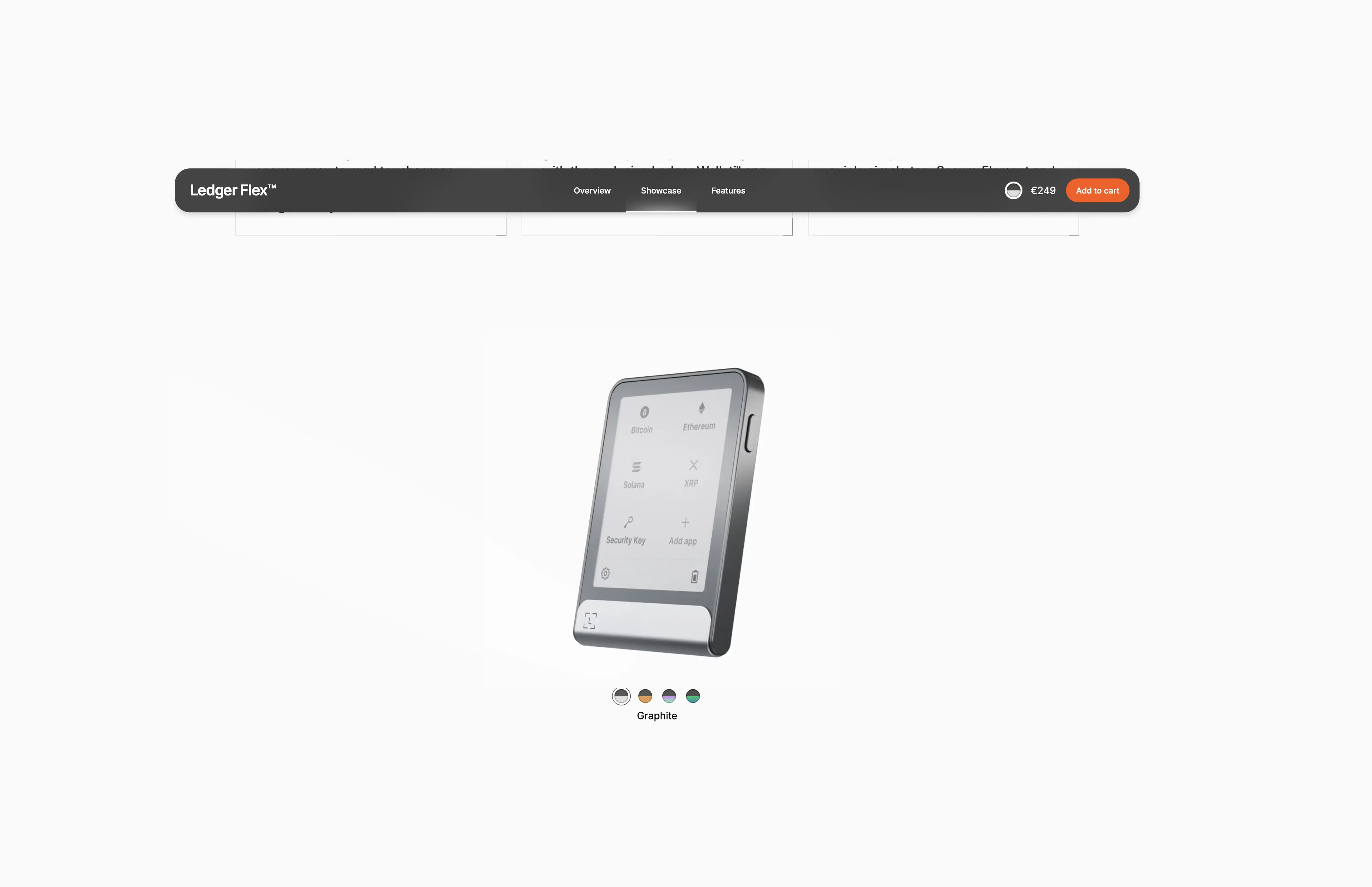
The Flex is Ledger's attempt to solve the blind-signing problem with hardware — a 2.84" E Ink touchscreen that actually displays transaction detail legibly.
Strengths:
EAL6+ secure element (ST33K1M5): Among the most certified chips in consumer hardware
E Ink display: 480×600px Gorilla Glass, directly addresses the blind-signing attack surface
Broad asset support: 5,500+ coins and tokens via Ledger Live
Integrated ecosystem: Staking, DeFi access, portfolio tracking
Connection attack surface: USB-C, Bluetooth, and NFC are all active by default. Ledger treats this as a convenience feature, and for mobile-first users. The tradeoff is security: wired-only devices avoid multiple wireless vectors by design.
Weaknesses:
2020 data breach: Customer email and physical address leak produced years of targeted phishing
2023 Connect Kit exploit: A compromised JavaScript library drained funds from DeFi users who approved malicious transactions on working hardware — a textbook signing-clarity failure
Closed secure element OS: Trust placed in Ledger and certification bodies rather than public audit
Connection attack surface: USB-C, Bluetooth, and NFC are all active by default. Wired-only devices avoid multiple vectors.
Best fit: Multi-coin portfolios, first-time hardware wallet users, holders prioritizing display clarity and broad integration.
Trezor Safe 5: Deep Dive
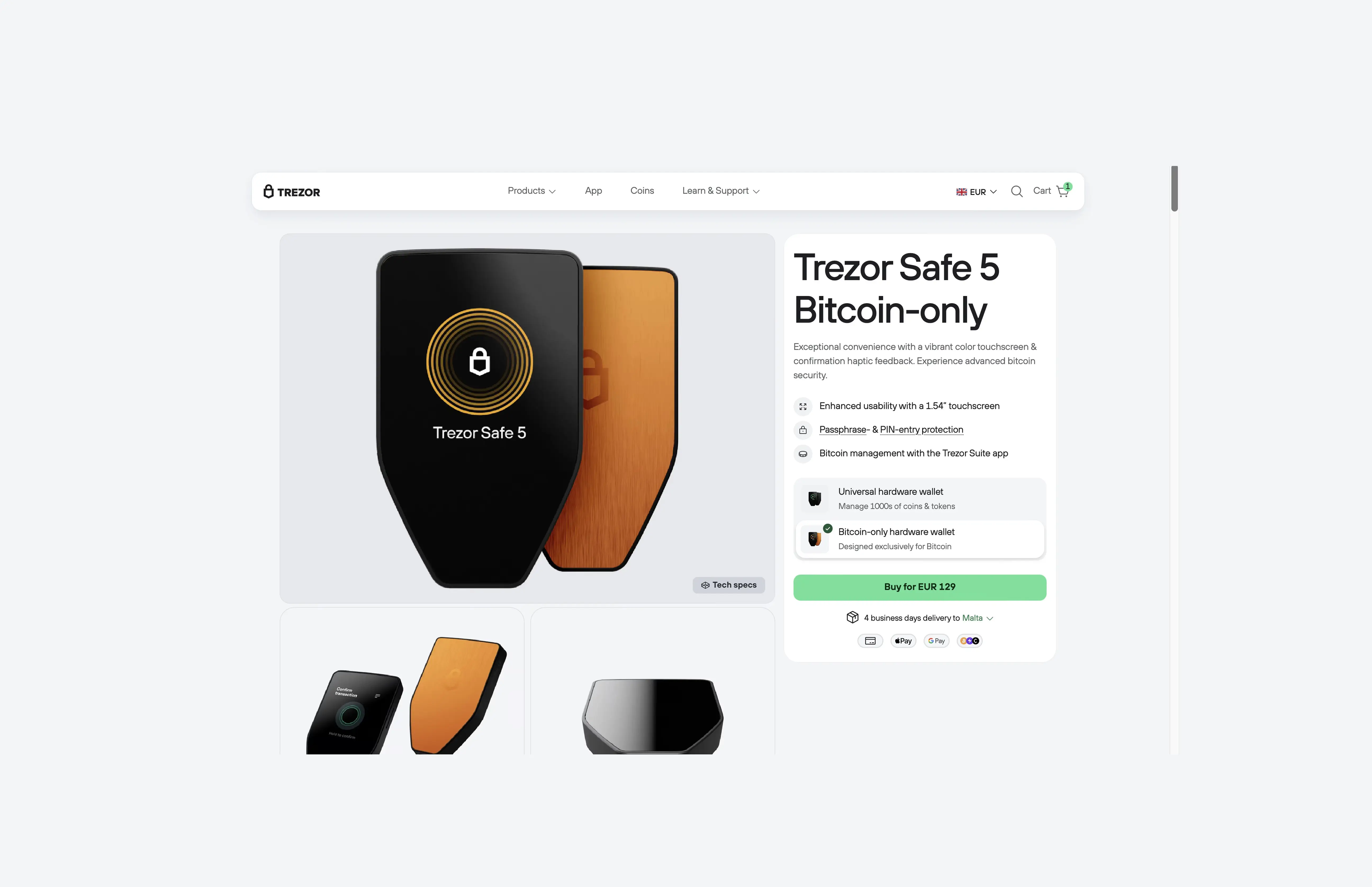
The Safe 5 is the cheapest serious option at €129 and the most auditable of the three. Every firmware line is publicly reviewable.
Strengths:
Fully open-source firmware: Independent verification available to the community EAL6+ secure element (OPTIGA Trust M): Hardware security matches Ledger at a lower price
Shamir Backup (SLIP39): Splits seed into multiple shares with a threshold recovery scheme — useful for geographic distribution or inheritance planning
Color touchscreen with haptic feedback: Transaction verification clearer than earlier Trezor generations
Weaknesses:
USB-C only: No Bluetooth, no air-gap workflow, no battery — every interaction requires a wired connection to a computer. Arguably a security feature: where fewer wireless attack surfaces means fewer attack vectors
Limited iOS functionality: Trezor Suite Lite for iOS is restricted to checking balances and receiving; no sending, swapping, or setup
Smaller integration ecosystem: Fewer native DeFi partners than Ledger Live
Coin support narrower than marketing suggests: Thousands of assets work via third-party wallets, but native Trezor Suite coverage is tighter
Best fit: Open-source advocates, privacy-focused holders, budget buyers, users wanting Shamir Backup, desktop- and Android-first setups.
Coldcard Mk5: Deep Dive
The Coldcard Mk5 is a Bitcoin-only hardware wallet made by Coinkite, built around a simple idea: the device should never need to connect to an internet-enabled computer to sign a transaction. Instead of USB or Bluetooth, it uses a microSD card or an NFC tap to move transactions back and forth — fully offline signing, every time.
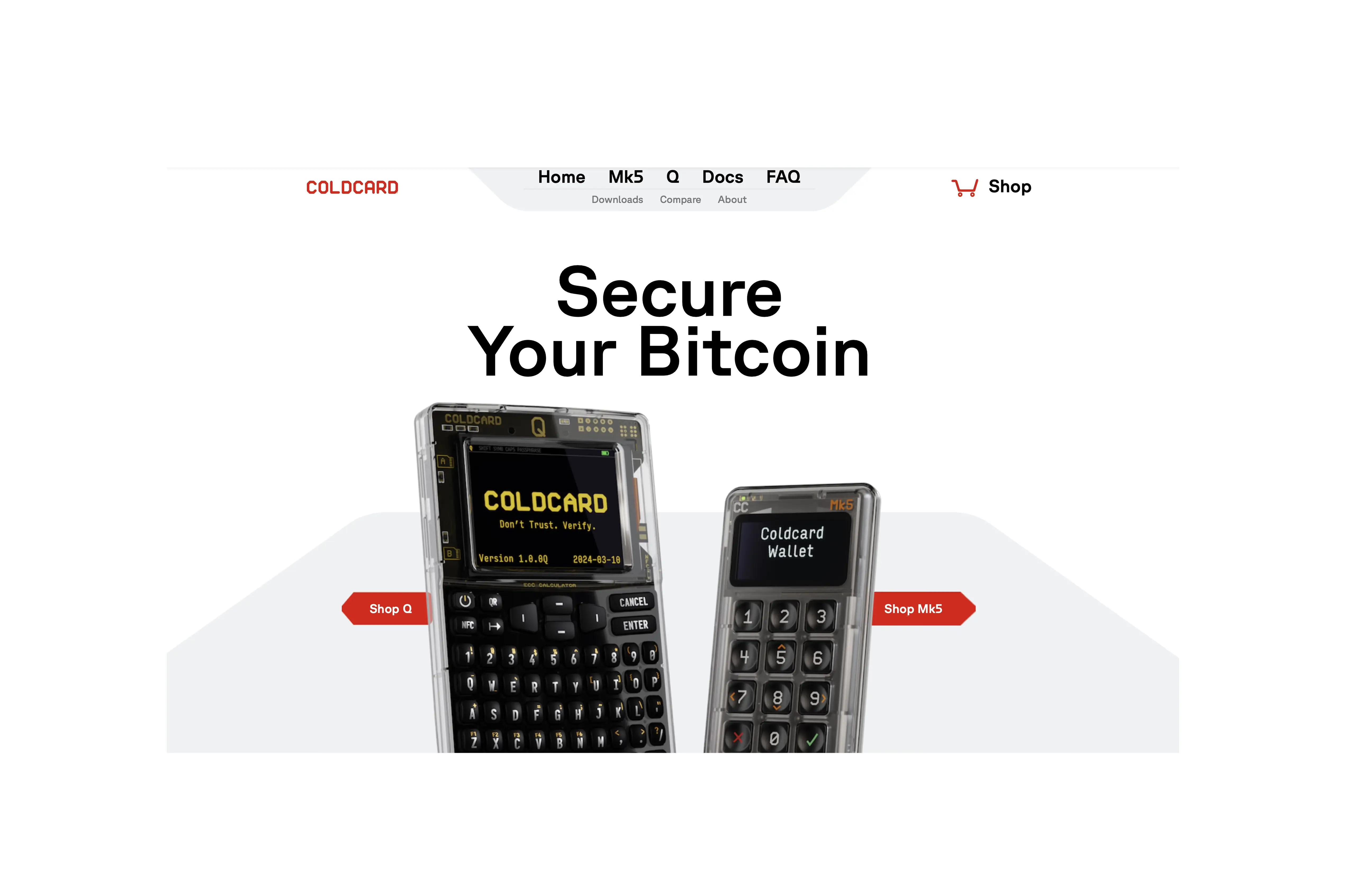
The monochrome screen and numeric keypad look basic next to touchscreen competitors, but that simplicity is deliberate.
Coldcard is a a Bitcoin-only wallet that has a narrower job than a multi-coin device, and the hardware reflects that focus. Everything Coldcard does, it does for Bitcoin holders who prioritize security over convenience.
Strengths:
True air-gap: Unsigned PSBT prepared on host, moved via microSD for offline signing, moved back for broadcast
Dual secure elements (ATECC608 + DS28C36B): Two chips from different vendors — a flaw in one does not compromise the wallet
On-device numeric keypad: PIN entry never touches the host computer
Deep PSBT integration: Native multisig workflows via Sparrow Wallet, Nunchuk, and Unchained Capital. Plus Coldcard's own Co-Signing (CCC) for 2-of-N setups with spending policies
Bitcoin-only firmware: Smaller attack surface, narrower transaction types to decode
Weaknesses:
Bitcoin only: A second device is required for any non-BTC assets
Steeper learning curve: MicroSD workflow is not beginner-friendly
Smaller monochrome screen: A basic black-and-white display, not a touchscreen. Since Coldcard only handles Bitcoin, there's less on-screen information to show in the first place, so the simpler screen is usually enough.
For users who want a QR scanner, QWERTY keyboard, and larger screen inside the same Coldcard security model, the Coldcard Q which sits at ~$249 as the premium variant.
Best fit: Bitcoin-only holders, cold storage for larger balances, multisig setups, advanced operational security requirements.
How to Choose the Right Hardware Wallet in 2026
The decision comes down to three factors: portfolio type, holding size, and how the device will actually get used.
Quick Match by User Type:
Beginners and multi-coin holders: Ledger Flex — display clarity, broad asset support, gentler learning curve
Budget buyers and open-source advocates: Trezor Safe 5 — €129, fully auditable firmware, Shamir Backup
Bitcoin-only and maximum security: Coldcard Mk5 — air-gap, dual secure elements, Bitcoin-focused firmware
Larger holdings ($10k+): A two-tier setup makes sense — a Ledger or Trezor for everyday access, a Coldcard for deep cold storage touched once or twice a year
Buying safely: Always order direct from ledger.com, trezor.io, or coldcard.com, verify tamper seals on arrival, reject any device arriving with a pre-filled seed phrase, and disconnect WiFi during setup
Readers interested in structured frameworks across Bitcoin positioning can reference the approach outlined in the Coinjuice ebook.
Hardware Wallets Are Quantum-Safe Under Today's Threat Model
Bitcoin held in unspent, unreused modern addresses (P2WPKH, P2TR) is protected by SHA-256 hashing — which current quantum computers cannot meaningfully break. The quantum risk applies to exposed public keys, not hashed ones, so long-term holdings sitting on a hardware wallet and left untouched are safe under today's threat model.
For readers tracking this closely, Bitcoin's formal quantum defense plan is covered in BIP-361.
Conclusion
The right wallet today may not be the right wallet in 2028. Buying decisions in this space are not one-time events; they are ongoing positions in a shifting attack surface that rewards reassessment. Ledger Flex, Trezor Safe 5, and Coldcard Mk5 each occupy a defensible position in 2026. The holder's job is to watch which ones keep adapting.
FAQ
What is the main difference between modern hardware wallets like Ledger Flex, Trezor Safe 5, and Coldcard Mk5?
All three now keep private keys offline securely; the main difference is how clearly they display transaction details before approval and how well each device fits the user’s daily habits.
Who is Ledger Flex best suited for and why?
Ledger Flex is best for beginners and multi-coin holders because it offers a large E Ink touchscreen for clearer transaction details, broad support for 5,500+ coins and tokens via Ledger Live, and an integrated ecosystem with staking, DeFi access, and portfolio tracking.
Why might someone choose Trezor Safe 5 over the other wallets?
Trezor Safe 5 is the cheapest serious option, has fully open-source firmware for maximum auditability, uses an EAL6+ secure element, and supports Shamir Backup, making it attractive for budget buyers, open-source advocates, privacy-focused holders, and users wanting advanced backup options.
What makes Coldcard Mk5 suitable for maximum Bitcoin security?
Coldcard Mk5 is Bitcoin-only, uses true air-gapped signing via microSD or NFC, has dual secure elements from different vendors, keeps PIN entry on its own keypad, and offers deep PSBT and multisig integration, making it suited for Bitcoin-only holders, larger cold storage balances, and advanced security needs.
Disclaimer
The information provided in this article is for informational purposes only. It is not intended to be, nor should it be construed as, financial advice. We do not make any warranties regarding the completeness, reliability, or accuracy of this information. All investments involve risk, and past performance does not guarantee future results. We recommend consulting a financial advisor before making any investment decisions.
More like this
Written by

Andrew Kamsky
Andrew Kamsky is a Bitcoin analyst. He spent a decade in traditional finance across a Big Four firm and a listed fintech bank before going deep on Bitcoin full-time.